
Web3 teams often talk about wallets as if they are separate from the browser. In real workflows, they are not.
A wallet address may live on-chain, but most daily wallet work happens inside a browser profile. That profile carries the wallet extension, DApp connection history, cookies, local storage, proxy route, timezone, browser language, browser fingerprint, task notes, and sometimes automation history.
When those pieces are managed separately, small inconsistencies can turn into hard-to-debug account problems.
A wallet may be correct. The proxy may be working. The browser profile may look isolated. But if the extension state, region signals, DApp permissions, and task history do not describe the same operating context, the team is still working inside a fragile environment.
For Web3 workflows, the real unit of management is not only the wallet.
It is the Web3 wallet browser profile.
A Wallet Profile Is More Than a Wallet Address
A wallet address is only one part of the environment.
A useful Web3 wallet profile should answer several practical questions before any sensitive task runs:
- Which wallet group does this profile belong to?
- Which proxy route should it use?
- Which region, timezone, and browser language should it present?
- Which wallet extension state belongs inside this profile?
- Which DApps has this wallet already connected to?
- Which permissions or approvals have already been granted?
- What task was last run?
- Did the last task finish, fail, pause, or require review?
If the team cannot answer these questions quickly, the browser profile is not ready for reliable Web3 work.
This is why wallet management becomes more complicated than ordinary login management. A normal account workflow may depend mainly on cookies, local storage, IP, and browser fingerprint consistency. A Web3 workflow adds wallet extension state and DApp permissions to that same environment.
That extra layer changes the risk model.
A browser profile should not be treated as a disposable window. It should be treated as the operating context around the wallet.
Proxy, Region, and Fingerprint Need to Agree
Many teams start by assigning one proxy to one wallet profile. That is a reasonable baseline, but it is not enough by itself.
The proxy route is only one signal. The browser may still report a timezone from another region, a language that does not match the intended market, WebRTC behavior that exposes a different network context, or fingerprint signals that change between sessions.
For Web3 tasks, these mismatches are especially costly because the wallet often returns to the same DApps over time. A profile that looks slightly different each time can create confusion around session continuity, permissions, and account history.
The goal is not to make every signal identical across all wallets. That would be the wrong direction.
The goal is to make each wallet browser profile internally consistent.
A practical rule is simple:
The proxy, timezone, language, fingerprint surface, wallet extension state, and task history should all describe the same profile story.
If they do not, the team should pause before blaming the wallet, replacing the proxy, or recreating the profile.
For a deeper diagnostic angle, the guide on timezone and locale consistency checks explains how region signals can drift even when a browser profile looks clean from the dashboard.
Extension State Is the Hidden Risk Layer
Wallet extensions are not ordinary browser extensions.
They may store account selections, network choices, connection history, DApp approvals, pending prompts, and UI state. They may also behave differently depending on which profile, site, chain, or task sequence was used before.
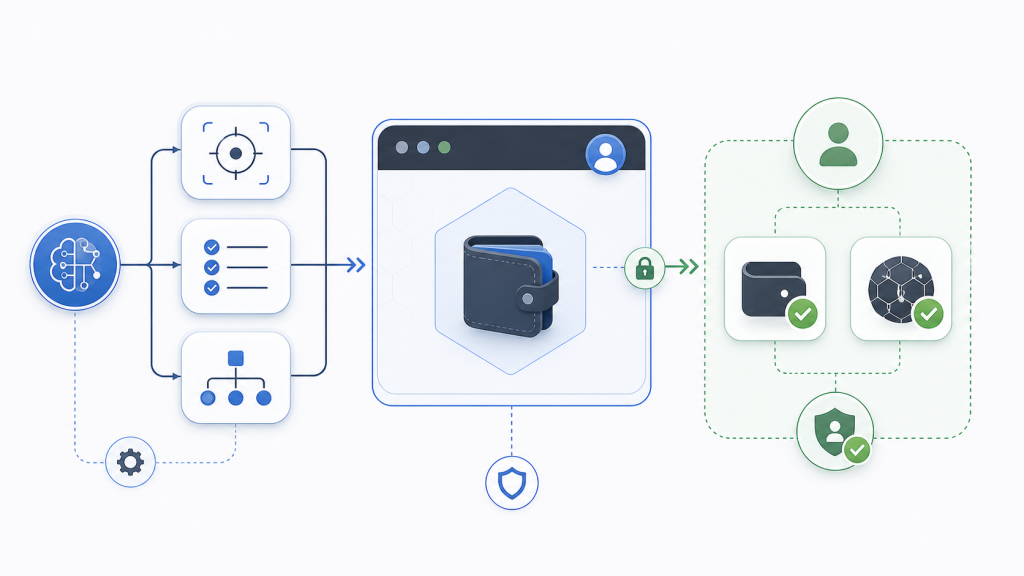
That means extension state must be managed as part of the profile, not as a side detail.
Common mistakes include:
- Copying a profile without reviewing wallet extension state
- Reusing an extension setup across wallet groups
- Connecting several wallet profiles to the same DApp without recording purpose
- Forgetting which profile granted which permission
- Treating every failed DApp interaction as a proxy problem
- Running automation after a wallet prompt appears without a review rule
These mistakes are not always obvious immediately. The workflow may seem fine until a later task reaches a DApp connection, network switch, signature prompt, or permission screen.
At that point, the team may not know whether the problem came from the wallet, the browser profile, the extension, the proxy, or the previous operator.
That is why Web3 browser work needs a profile-level record.
At minimum, each wallet profile should have a short note for wallet group, proxy group, intended region, DApp scope, last sensitive action, and current review state.
Without that record, troubleshooting becomes memory work.
Memory does not scale.
DApp Permissions Need Review Boundaries
DApp permissions deserve special handling because they sit between browser state and wallet state.
A browser can remember that a DApp was visited. A wallet extension can remember that a DApp was connected. The DApp may remember wallet-related activity. The operator may remember why the connection was made.
If those records do not line up, the team loses context.
Before repeating a Web3 task, the team should know whether the wallet is already connected, whether the connection is expected, whether the chain is correct, whether permissions are still valid, and whether the next step requires manual review.
This is where browser automation needs a boundary.
Automation can help open pages, check page status, collect visible state, prepare task notes, compare expected signals, and organize results. But wallet signing, asset movement, approval changes, and sensitive authorization steps should not be treated as ordinary clicks.
A safer workflow separates three layers:
- Inspection: the browser or agent checks the page, profile, network, and visible state.
- Preparation: the workflow organizes what should happen next.
- Confirmation: a human operator reviews sensitive wallet actions before they continue.
This keeps automation useful without making the wallet workflow opaque.
The broader guide on cookie and fingerprint leak diagnosis is useful here because many Web3 issues still begin with ordinary browser state problems before they reach the wallet layer.
AI Agents Need Wallet Context
AI browser agents can be useful in Web3 operations, but they need strict context.
An agent should not be given a vague instruction such as “finish this wallet task” without knowing which profile it is using, which proxy route belongs to that profile, what the wallet state should be, which DApp is expected, which actions are allowed, and when it must stop.
For Web3 teams, the important question is not only whether an AI agent can control the browser.
The better question is:
Can the agent operate inside the right wallet profile, with the right proxy, under the right review rules, while leaving enough evidence for the team to understand what happened?
That is a much higher standard than ordinary browser automation.
A useful agent workflow should include clear stop conditions:
- Wallet extension not found
- Wrong wallet group appears
- DApp connection state is unexpected
- Proxy or region signal does not match the profile plan
- Signature, approval, transfer, or wallet confirmation appears
- The page requests a network switch that was not expected
- Previous task state is missing or unclear
When one of these conditions appears, the workflow should pause and record the reason.
This is how automation becomes safer for Web3 work. It does not push through uncertainty. It makes uncertainty visible.
A Practical Web3 Wallet Profile Checklist
Before a Web3 wallet browser profile is used for repeated work, check the environment as one unit.
Profile identity: The browser profile is assigned to one wallet group, one purpose, and one operating context.
Proxy route: The proxy region matches the intended profile region and does not change unexpectedly between sessions.
Timezone and language: Browser timezone, locale, and language settings match the proxy and account plan.
Fingerprint surface: Canvas, WebGL, WebRTC, fonts, device signals, and other browser surfaces remain stable enough for the same profile.
Extension state: The wallet extension belongs to the profile and has not been copied blindly from another wallet group.
DApp state: Connected DApps, permissions, network choices, and pending prompts are reviewed before sensitive tasks.
Task history: The profile records the last task, last result, and whether the next action is safe to continue.
Review rules: Signatures, approvals, transfers, and permission changes require human confirmation.
Recovery path: Failed runs stop with a note instead of retrying blindly.
This checklist does not remove every risk. It gives the team a better way to locate the source of a problem.
That is the difference between a browser profile that merely opens and a browser profile that can be operated.
Where a Browser Automation Workspace Helps
As Web3 workflows grow, the main problem is no longer only profile creation.
The harder problem is keeping wallet profiles, proxy routes, fingerprint settings, extension state, DApp permissions, task logs, and review decisions close enough for the team to manage them together.
That is where a browser automation workspace for account-based workflows becomes more useful than a standalone profile launcher.
The workspace does not make wallet operations risk-free. No browser should make that promise.
Its value is more practical: it helps the team connect the browser environment, proxy context, reusable workflows, AI-assisted checks, headless tasks, and review evidence inside one operating layer.
For Web3 work, that structure matters because every sensitive task depends on account context.
The wallet is not alone.
The browser profile around it is part of the workflow.
Final Takeaway
Web3 wallet management is not just about storing more wallets or opening more browser windows.
A reliable wallet workflow needs the wallet, browser profile, proxy route, fingerprint surface, extension state, DApp permissions, task history, and review rules to stay together.
When those pieces are separated, teams move faster for a while but lose the ability to explain failures.
When those pieces are managed as one wallet browser profile, the workflow becomes easier to inspect, repeat, pause, and recover.
For Web3 teams, that is the real upgrade.
Not more windows.
More context.