OBSERVABLE SURFACE
Browser fingerprint
What a site can read.Browser, device, rendering, regional, and request characteristics exposed to a website.
Web4 Browser · AI antidetect browser & multi-accounting workspace
Web4 builds one coherent browser identity from real-device-informed signals and browser-core behavior, then keeps that identity with the saved profile.
How it works Instead of randomizing fingerprint values independently, AI Environment Modeling resolves browser, device, rendering, regional, and network context as one compatibility system.
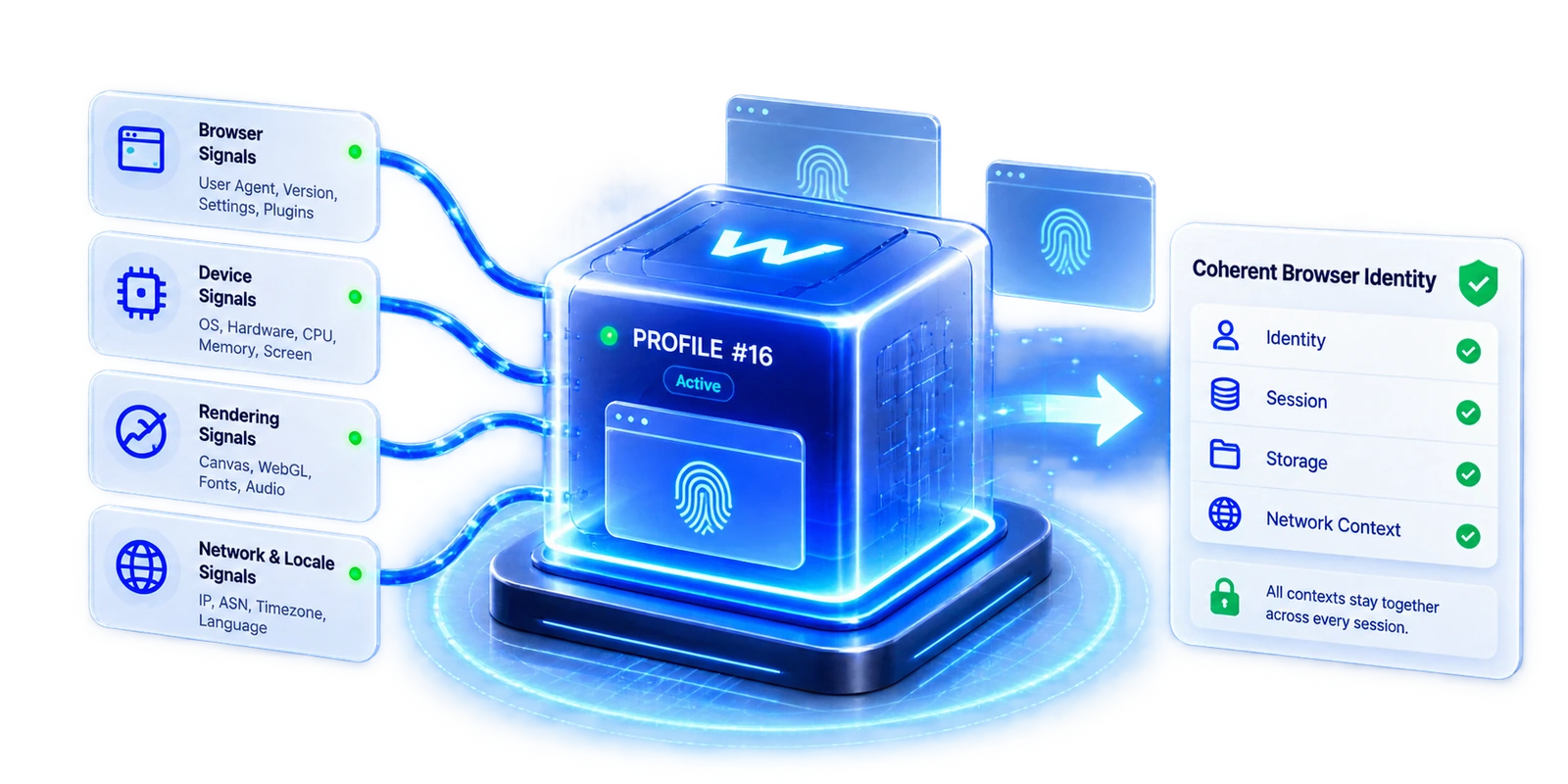
Separate what a site can read, how those signals fit together, and what persists as the account environment.
Browser, device, rendering, regional, and request characteristics exposed to a website.
The coherent browser, device, rendering, regional, and runtime story Web4 resolves across signal families.
The persistent environment that keeps identity, cookies, storage, login state, network binding, and execution context together.
Fingerprint is observable.Identity is relational.Profile is persistent.
Origin determines behavior: some context belongs to the saved profile; some follows the browser core, network, host, or runtime.
Stable where the profile owns the value. Contextual where another layer owns the source.
Real-device-informed. Real-world browser and device characteristics provide plausible ranges and relationships rather than treating every setting as an independent random value.
Browser-core-derived. Browser version, supported APIs, User-Agent Client Hints behavior, and other core-dependent capabilities follow the Chromium runtime the profile actually uses.
Model-resolved. AI Environment Modeling resolves compatible combinations across browser, device, rendering, regional, and operating context.
Profile-persistent. Identity configuration owned by the profile is saved and reused instead of being regenerated as a new random fingerprint on every launch.
Network-derived. Public IP, route geography, and other network-origin signals can change without automatically rebuilding the browser identity.
Host / runtime-dependent. Some observable behavior can still depend on the physical machine, graphics stack, media devices, or runtime conditions and is treated as validation input.
Web4 evaluates related signal families as one compatibility system, then saves the resolved identity with the profile.

Browser, device, rendering, regional, and network context enter together.

AI Environment Modeling resolves the connected signal relationships.

Identity and persistence rules are saved with Profile #16.

Profile-owned context persists while external sources remain contextual.
Related values need to describe the same browser and device story; uniqueness or permanent freezing is not the goal.
Real-device grounding means using real-device-informed signals and compatible browser behavior—not claiming that a profile is literally identical to one specific physical computer.
Identity is applied before web content reads the environment, across the browser/request layer, browser APIs, rendering context, and saved profile state.
UA · UA-CH · language · browser version · feature capabilities
CORE-AWARENavigator · Screen · Intl · languages · device-class context
IDENTITY-AWARECanvas · WebGL · fonts · graphics-related readouts
RENDER-AWARECookies · storage · login state · saved identity configuration
PERSISTENTIP, routing, proxy reputation, and connection-level characteristics originate outside the browser fingerprint layer.
Proxy & Network →Web4 separates what belongs to the profile from what legitimately follows the network, host/runtime, or browser core.
Create one saved browser environment.
Manual, AI, and Headless/CDP reuse the same profile.

Identity, cookies, storage, and login state remain saved.
Reopen the same saved environment later.

The same profile carries identity and state across workflows.
| Scenario | Profile identity | Cookies / storage | Network context | Host-dependent | Core-derived |
|---|---|---|---|---|---|
| Reopen same profile | Preserved | Preserved | Follows active route | Same host: validate | Same core: stable |
| Change proxy | Not rebuilt | Preserved | Updates | Unchanged | Unchanged |
| Move to another machine | Saved config retained | Preserved | Follows active route | Revalidated | Same core: stable |
| Browser core update | Identity intent retained | Preserved | Preserved | Revalidate if affected | Updates / migrates |
| Manual → AI → Headless | Same profile identity | Same profile state | Same binding | Same runtime | Same browser core |
Use Web4’s diagnostic tools to read observable browser signals and compare environments. The tools measure what a page can see; they do not expose the internal modeling process.
Browser · device · rendering · regional surfaces
UA · platform · timezone · screen · Canvas · WebGL
Graphics vendor / renderer context · Canvas output
Compare observable reports for overlap or variation
Diagnostic boundary. A checker shows the environment a page can read; it does not prove why a value was produced or whether a platform will trust an account.
Web4 keeps the profile-owned browser context coherent and reusable, while coordinating the network route bound to that profile. Account history, proxy reputation, platform policy, and host-dependent behavior remain separate sources of context.
How Web4 defines product claimsResolved identity · cookies · storage · session · execution context
Per-profile binding · active IP route · network geography
Physical-device constraints and runtime characteristics that still originate from the active machine
Account standing · proxy reputation · platform rules · acceptance decisions
Design principle: preserve what the profile owns; let external layers reflect their actual source.
Create a free account, then apply for Windows trial access when you are ready to test Web4 Browser. Trial access is by approval.