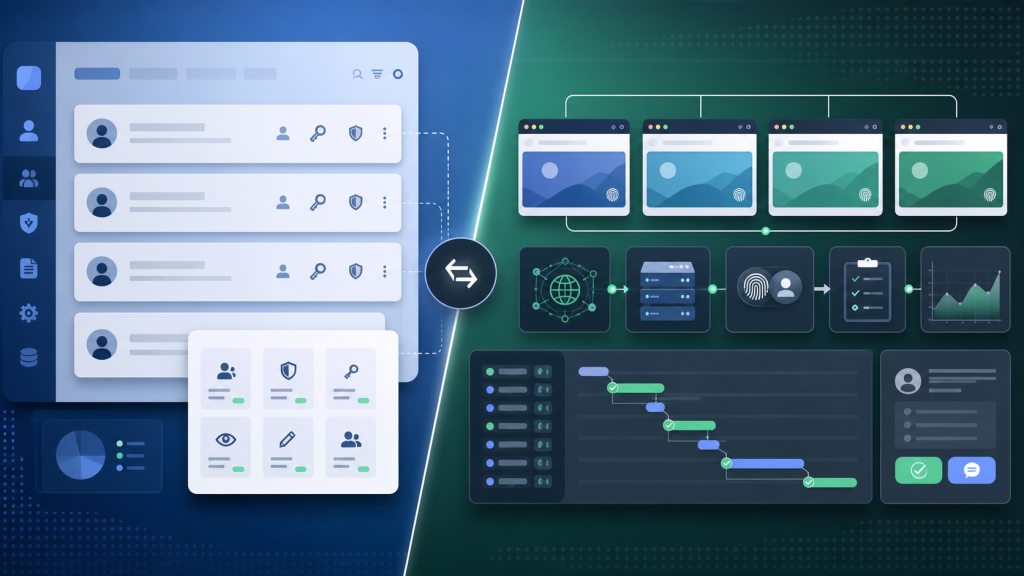
Account management software is useful when a team needs to track owners, roles, credentials, renewal dates, notes, or customer records. But multi-account browser work has another layer: the account must be opened in the right browser profile, with the right proxy, session state, task history, and review evidence.
That is where many teams confuse two different jobs. A spreadsheet or account database can tell you which account exists. It cannot always tell you whether the browser environment is safe to reuse, whether an automation task should run, or whether a teammate can pick up the work without guessing.
The Short Answer
Use account management software when the main problem is account inventory, ownership, access notes, or business process tracking. Use a multi-account browser or browser workspace when the main problem is executing work inside separate browser environments.
The difference is not “database versus browser.” The real question is whether your team needs to control account context during execution. Account context includes browser profile state, proxy binding, session continuity, task logs, screenshots, and the point where a human should review the work before continuing.
What Account Management Software Controls Well
Account management software is good at structured records. It can help a team answer questions like:
- Who owns this account?
- Which team or client is it connected to?
- What is the current account status?
- Who has permission to view or update the record?
- What notes, tickets, renewals, or handoff comments are attached?
For sales, customer success, operations, or internal ownership tracking, that may be enough. The problem starts when the account record is separated from the browser environment used to operate it.
If the team still has to ask “Which browser profile should I open?”, “Which proxy was used last time?”, or “Why did the last automation step fail?”, the account record is not the complete control layer.
What a Multi-Account Browser Controls
A multi-account browser is closer to the execution environment. It manages the browser profile and the account context around it: cookies, local storage, fingerprint settings, proxy binding, timezone, language, session state, and sometimes automation or team workflow history.
This is why teams often pair account records with a browser profile handoff test. The account owner is not the only thing that matters. A teammate also needs to know whether the profile is current, whether the environment mapping is stable, and whether the last task left evidence that can be reviewed.
For teams running repeated account tasks, the browser layer is not optional. It is where the work actually happens.
Decision Table: Which Layer Do You Need?
| Team Need | Account Management Software | Multi-Account Browser / Browser Workspace |
|---|---|---|
| Track account ownership | Strong fit | Useful when tied to profile ownership |
| Store notes, statuses, and handoff comments | Strong fit | Useful when notes affect execution |
| Open accounts in separated browser environments | Not enough by itself | Core use case |
| Keep proxy, timezone, language, and profile together | Usually external or manual | Core use case |
| Run browser automation with review points | Can track the process | Needed for execution context |
| Review why a browser task failed | May store the incident | Needed for screenshots, logs, URLs, and profile state |
A practical rule: if the work ends at record keeping, account management software can be enough. If the work begins when someone opens the browser, you need a browser control layer.
Where Teams Usually Lose Context
Most breakdowns happen between the account record and the browser task. A manager may know who owns an account, but the operator may not know whether the profile was updated yesterday. A developer may know which automation script ran, but not which browser state it inherited. A reviewer may know a task failed, but not have enough evidence to decide whether to retry, pause, or hand off.
This is why an automation log checklist matters. The log connects account, profile, task, URL, screenshot, and failure step. Without that chain, the team is left with a vague status field and a lot of manual guessing.
When Browser Work Needs Human Review
Browser automation does not remove the need for judgment. Some steps can run without much risk: opening a page, collecting public page data, checking a status, or filling a low-risk internal form. Other steps need visible review before they continue: login changes, payment settings, permissions, unusual prompts, verification screens, or anything that affects account ownership.
The same logic applies to tool choice. Account management software can say the account is active. A browser workspace can help decide whether the next browser action is ready to run, needs a pause, or should be handed to a reviewer. The visible review decision table is useful here because it separates speed from control.
A Control-Layer Checklist
Before deciding that account management software is enough, ask these questions:
- Can the team identify the correct browser profile for each account?
- Can the team see which proxy, timezone, and language settings belong to that profile?
- Can another teammate continue the work without asking the previous operator?
- Can the team review the last task with URL, screenshot, step name, and result?
- Can automation stop before sensitive steps that need human review?
- Can the team separate record ownership from execution readiness?
If the answer is no, the team needs more than account records. It needs a browser workflow layer.
Where Web4 Fits
Web4 Browser is designed for the layer where accounts, browser profiles, proxies, tasks, logs, and team review need to stay connected. It is not a replacement for every CRM or account database. It is closer to a multi-account automation workspace where the browser environment is part of the work record.
That is the useful distinction. Account management software answers “What account is this?” A browser workspace answers “Can this account be operated in the right context, by the right teammate, with enough evidence to review what happened?”
For small teams with a few accounts, a simple record system may be fine. For teams running repeated browser tasks across many accounts, the control layer should move closer to the browser environment itself.