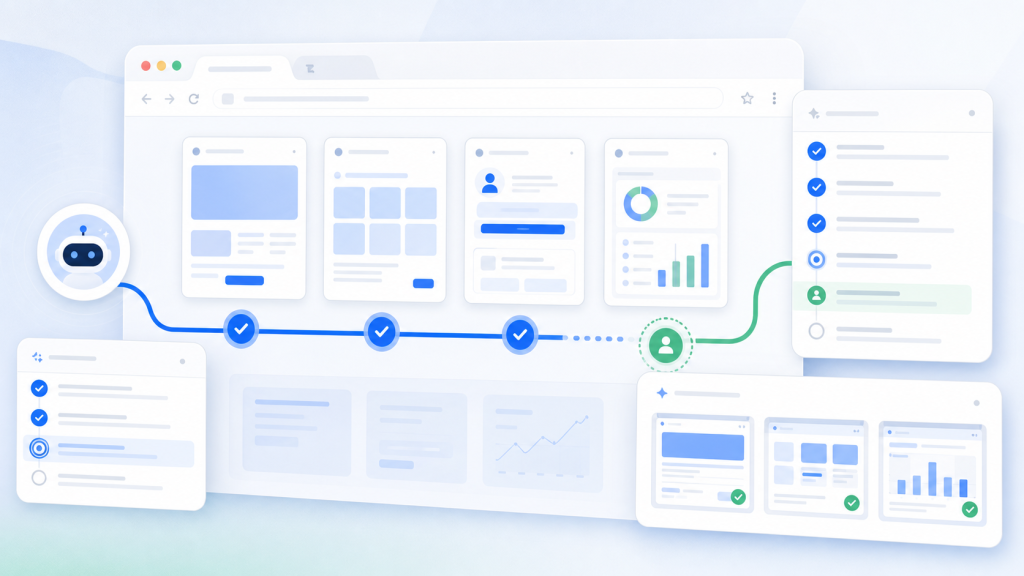
A browser AI agent can open pages, follow instructions, and collect page signals faster than a manual operator. That speed is useful, but it does not remove the need for a workflow. In multi-account work, the practical question is whether the agent inspected the right page under the right browser profile, with enough evidence for another person to review the result.
This is where page inspection needs a runbook. The runbook tells the team what the agent should check, which account context it should use, when it should stop, and what evidence it must leave behind.
The goal is not to make every browser task fully autonomous. The goal is to make repeated page checks easier to run, easier to verify, and easier to improve without losing control over account context.
What Page Inspection Means in an AI Browser Workflow
Page inspection is a structured check of a browser state. It may confirm whether a login page is still visible, whether a dashboard loaded, whether a status field changed, whether a landing page returned an error, or whether a task reached the expected final URL.
For a single user, this can be a quick manual check. For a team managing many profiles, page inspection becomes operational work. The same instruction can produce different results if the profile, proxy route, session state, region, or task timing changes.
If your team is still defining the wider automation asset behind repeated work, pair this runbook with browser task automation as a workflow asset. A page inspection runbook is one focused version of that larger workflow asset.
Define the Inspection Goal Before the Agent Runs
A weak instruction says, “check the page.” A useful instruction says what state the agent should confirm and what output should count as evidence.
For example, a team might ask an agent to confirm whether a profile is logged in, whether a campaign page is reachable, whether a product page shows a specific state, or whether a dashboard has changed since the previous run. Each of those tasks needs a different inspection rule.
The inspection goal should be short enough to repeat, but specific enough that another operator can tell whether the result was accepted, paused, or rejected.
The Page Inspection Runbook
| Runbook Field | What to Record | Why It Matters |
|---|---|---|
| Profile context | Profile group, account label, session assumption, and proxy expectation | Confirms the task ran in the intended account environment |
| Starting URL | The exact page where the inspection begins | Prevents the agent from judging the wrong page state |
| Expected signal | Status text, page title, final URL, visible field, or missing error state | Turns a vague check into a verifiable outcome |
| Evidence required | Screenshot, final URL, timestamp, visible status, and task note | Lets a reviewer confirm the result later |
| Stop condition | Login prompt, unexpected verification page, unclear state, payment action, or account warning | Keeps the workflow from continuing when judgment is required |
| Reviewer decision | Accepted, retry, pause, escalate, or update runbook | Separates execution from approval |
This table is intentionally simple. A runbook that operators can actually use is better than a complex rule set that nobody updates after the first week.
Keep Account Context Attached to the Inspection
A browser AI agent should not be treated as a detached command runner. The agent’s output only makes sense when the team knows which account environment produced it.
That means the inspection record should preserve the browser profile, session assumption, proxy expectation, task version, and final URL. If those pieces are missing, the team may know what the agent saw, but not whether it saw it in the correct environment.
This is the same reason account context checks for AI browser tasks remain important. A smart instruction can still produce a weak result when the account context is unclear.
Separate Inspection From Action
Page inspection should usually come before action. The agent can observe a page, record a state, and prepare a recommendation. The team can then decide whether the next action is safe, useful, or ready for automation.
This separation is especially important when the page shows an unexpected login prompt, additional verification, permission change, payment step, account warning, or unclear result. Those states are not just technical events. They are review points.
Use the same logic from human review before AI browser agents: the review layer is part of the workflow design, not a sign that automation failed.
What Evidence Should the Agent Leave Behind?
A useful inspection run should leave enough evidence that another operator can understand what happened without rerunning the task immediately.
- The browser profile or profile group used for the inspection.
- The starting URL and final URL.
- The visible status or page state being checked.
- A screenshot when visual confirmation matters.
- The timestamp and task version.
- The stop condition if the agent paused.
- The reviewer decision after the inspection.
If these fields are missing, the team may still have speed, but it will not have reliable reviewability.
Use Logs to Turn Failed Inspections Into Repairs
Failed inspections are not wasted runs if they leave a clear record. The team should be able to tell whether the failure came from the page, the profile, the proxy route, the session state, the instruction, or the expected signal.
That is why browser automation logs for AI task failures matter. A page inspection runbook should make every failure easier to categorize.
| Failure Type | Typical Signal | Next Review Step |
|---|---|---|
| Profile state mismatch | Login prompt, missing local state, wrong account view | Check profile assignment and session assumption |
| Network or region mismatch | Unexpected page variant, redirect, or timeout | Review proxy, timezone, and language expectations |
| Instruction mismatch | Agent checked the wrong element or page area | Rewrite the expected signal and evidence rule |
| Page change | Selector, layout, or status location changed | Update the runbook version |
| Review-required state | Verification page, permission warning, or unclear result | Pause and request human decision |
When Visible Review Beats Headless Speed
Some page inspections are stable enough to run in a low-visibility or headless mode. Others should stay visible because the page state has judgment attached to it.
If the inspection checks a known field on a predictable page, headless execution may be reasonable after the runbook has been tested. If the inspection touches login state, account warnings, permissions, payments, or page states that need visual judgment, visible review may be the safer default.
The decision should follow the same reasoning as headless browser automation versus visible review. The important question is not which mode is faster. The important question is whether the team can trust and review the result.
Where Web4 Browser Fits
Web4 Browser fits this workflow when a team wants browser AI agent work to stay connected to account environment and review evidence. A page inspection can be attached to a browser profile, proxy expectation, task instruction, screenshot, run log, and human review point instead of becoming a loose prompt.
That makes the browser agent more useful for team operations. The agent can help inspect repeatable states, while the team keeps the environment record and approval boundary visible.
For teams building this from scratch, the practical starting point is an AI browser workspace with one page inspection runbook, one profile group, one evidence rule, and one stop condition. Once that works, the team can expand to more pages without losing reviewability.
Checklist: Is a Page Inspection Ready for an AI Agent?
- The inspection goal names the exact page state to check.
- The required profile group and session assumption are documented.
- The starting URL and expected final state are clear.
- The evidence requirement includes at least one reviewable artifact.
- The stop condition is defined before the task runs.
- The run creates a log that another operator can read.
- Failures can be categorized into environment, instruction, page-change, or review-required states.
- The reviewer decision is recorded separately from the agent output.
Conclusion
Browser AI agents are useful when they reduce repeated inspection work without hiding the account environment behind the result. A page inspection runbook gives the team a practical structure: define the goal, attach account context, collect evidence, pause at uncertain states, and record the reviewer decision.
That structure keeps automation grounded. The team gets faster page checks, but it also gets the evidence trail needed to understand which profile ran, what state appeared, why the task paused, and what should happen next.