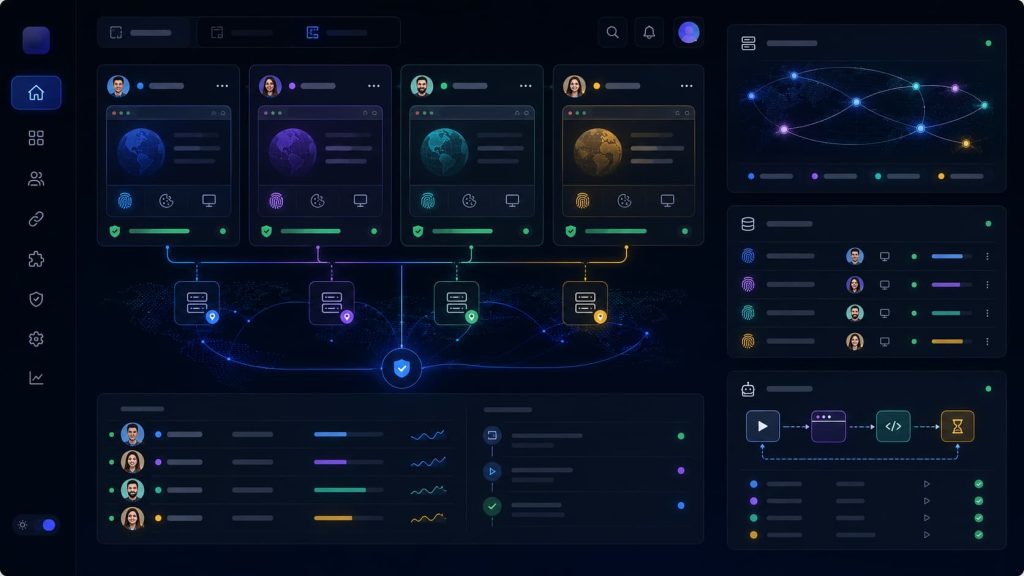
Teams usually search for an AdsPower alternative when browser profiles are no longer the hard part.
The harder part is knowing which account, proxy, session, teammate, and automation task belongs to each profile.
An anti-detect browser may help create isolated environments. But once a team starts sharing profiles, handing off accounts, running browser automation, or testing AI browser agents, isolation alone is no longer enough.
The question changes from:
“Can this tool open multiple browser profiles?”
to:
“Can this browser workspace keep account work controlled across profiles, proxies, sessions, permissions, and automation?”
That is the type of problem Web4 Browser focuses on: turning browser profiles into a team browser workspace for AI-driven account tasks.
This article explains what teams should check before choosing an AdsPower alternative, especially when multi-account work is moving toward automation, AI agents, and team-based browser operations.
Why teams look beyond traditional anti-detect browsers
Anti-detect browsers became useful because teams needed isolated browser environments.
A browser profile can separate cookies, local storage, fingerprints, browser settings, and proxy configurations. This helps keep different accounts from being mixed together in the same browser environment.
For individual users, that may be enough.
For teams, the browser profile becomes something bigger.
A profile is no longer just a private environment for one user. It may become a shared operational asset.
One person creates the profile. Another person logs in. A third person checks the account. A script may run a task. An AI agent may continue a workflow. Later, someone needs to understand why the task failed.
At that point, the core problem changes.
The question is no longer whether a browser can open multiple profiles.
The better question is whether the browser can help the team control account work across profiles, proxies, sessions, handoffs, and automation.
That is why many teams compare AdsPower alternatives, Multilogin alternatives, GoLogin alternatives, and newer AI browser workspaces.
They are not only comparing fingerprint settings.
They are comparing workflow control.
Personal multi-login and team browser workflows are different
A common mistake is to evaluate a team browser system the same way an individual user evaluates a multi-login tool.
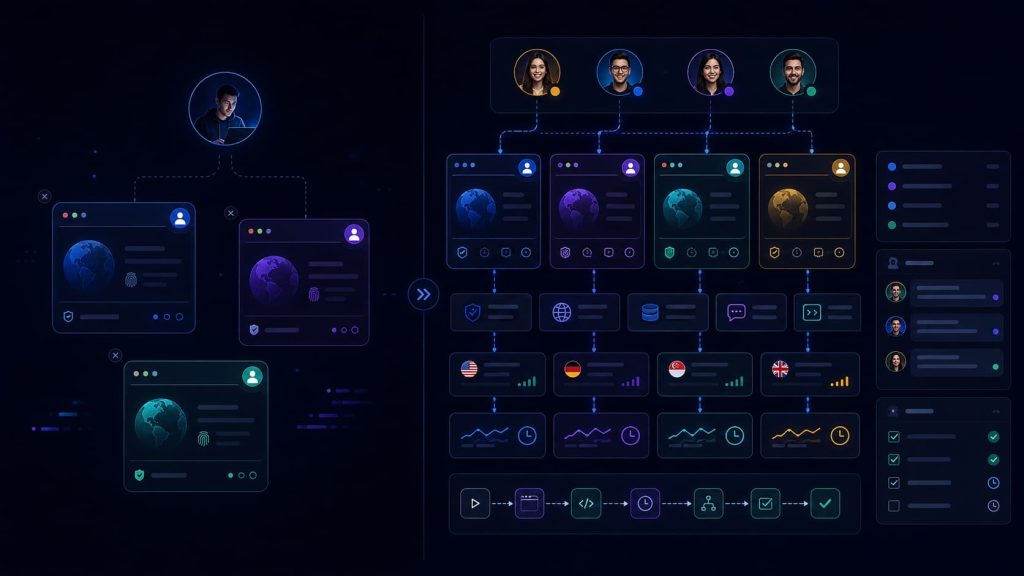
For personal use, the checklist is usually simple:
- Can I create browser profiles?
- Can I assign proxies?
- Can I keep accounts logged in?
- Can I open enough browser windows?
- Is the price acceptable?
For a team, those questions are only the starting point.
A team also needs to know:
- Who owns each profile?
- Who can open it?
- Which account does it belong to?
- Which proxy should stay bound to it?
- What task was last completed?
- Whether automation is allowed in that environment
- Whether a failed task can be reviewed later
This is why a team may feel that its current setup is becoming messy even when the browser itself still works.
The tool can still open windows.
The team just cannot manage the work around those windows anymore.
What traditional anti-detect browsers are good at
AdsPower and similar anti-detect browsers are often used for profile isolation, proxy configuration, browser fingerprint settings, and multi-account access.
These capabilities are still important.
A team still needs isolated environments. It still needs proxy support. It still needs persistent profiles. It still needs account sessions to stay separate.
The real issue is that many teams now need more than isolation.
They need browser profiles to become part of a larger workflow:
- Account ownership
- Proxy consistency
- Session continuity
- Task execution
- Team handoff
- Automation control
- Evidence and recovery
If the team only compares feature lists, it may miss the real reason it is looking for a new tool.
A better AdsPower alternative is not simply another anti-detect browser.
For growing teams, the better alternative is a browser workspace that helps manage account-based work.
Check 1: Browser profile ownership
Before migrating or replacing a browser profile system, ask a simple question:
If someone opens this profile tomorrow, will they know what it is for?
Many teams cannot answer that clearly.
They may have profiles named “Account 01,” “Client Backup,” “Test,” or “Old Login.” These names may make sense to the person who created them, but not to the rest of the team.
This becomes a problem when the workflow grows.
A team-ready browser workflow should make profile identity easier to understand. Each profile should be tied to a clear account, owner, purpose, proxy rule, and recent task context.
The goal is not only to store browser data.
The goal is to make the account environment understandable to the next person, script, or AI agent that uses it.
Check 2: Proxy and account context
Proxy support is not the same as proxy control.
Most anti-detect browsers support proxies. But team workflows need more than the ability to paste in a proxy address.
They need to preserve the relationship between the account, browser profile, proxy, region, timezone, language, task type, and operator.
If this relationship breaks, the profile may still open, but the account context may no longer be consistent.
For example, an account that usually works from one region may suddenly be opened through another proxy. A timezone may no longer match the proxy location. A teammate may replace a proxy without understanding why it was originally assigned.
These small changes can create large operational problems.
When evaluating an AdsPower alternative, teams should ask:
Can proxy binding stay connected to profile ownership and task context?
If the answer is no, the team may still depend on spreadsheets, chat messages, or memory to avoid mistakes.
That is not a scalable browser workflow.
Check 3: Session continuity
A migrated profile may open successfully and still be unreliable.
This happens because “logged in” is not the same as “ready for work.”
Modern web applications may rely on cookies, local storage, IndexedDB, cache, permissions, device signals, and other browser state. A profile can appear logged in on the homepage but fail when the user enters a deeper workflow.
That is why teams should test session continuity against real tasks.
A good test should not stop at:
“The account opens.”
It should confirm:
- The expected account is active.
- The correct workspace or dashboard loads.
- The task page is accessible.
- A low-risk action can be completed.
- No unexpected verification appears.
- The session remains stable after reopening.
This matters even more when automation is involved.
If a script or AI agent starts from a profile with incomplete session state, it may fail halfway through the task, after the team has already lost time and context.
A stronger browser workspace should treat session state as part of account operations, not just browser storage.
Check 4: Team handoff
Team handoff is one of the biggest differences between personal multi-login and team browser operations.
In a weak workflow, handoff looks like this:
“Use this profile. It should be logged in. Don’t change the proxy.”
That may work once. It does not scale.
A better browser profile handoff should make the environment clear without requiring a long private explanation.
The next person should know:
- What account this profile belongs to
- What task was last completed
- What should not be changed
- Whether the proxy is fixed
- Whether automation can run
- Whether the profile is stable or needs review
- Who is responsible for the next action
This is where browser profile management becomes team knowledge management.
If the knowledge only exists in one person’s head, the workflow is fragile.
When evaluating an AdsPower alternative, teams should ask whether the new system makes handoff easier or simply moves the same unclear profiles into a different interface.
Check 5: Automation context
Browser automation is becoming a normal part of multi-account work.
Teams may use RPA, scripts, Playwright, Puppeteer, headless browsers, or AI browser agents. These tools can click, read, fill forms, and follow instructions.
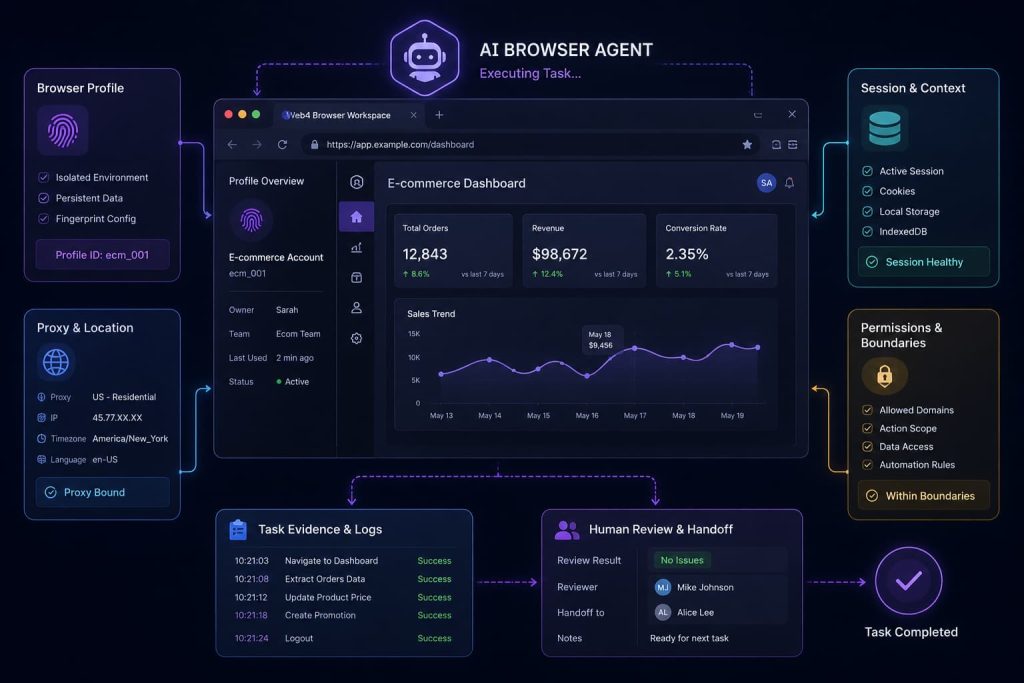
But automation has one basic requirement:
It must run in the right account context.
If automation starts in the wrong profile, uses the wrong proxy, or continues from an expired session, the task may still execute. It will just execute in the wrong environment.
That is more dangerous than a simple failure.
For AI browser agents, this issue becomes even more important. An agent can operate the browser, but it does not automatically know the business meaning of the account environment unless the workflow gives it that context.
A team-ready browser system should help define:
- Which profile an automation task can use
- Which account is active
- Which proxy is expected
- What actions are allowed
- When the task should stop
- When a human should review the result
- What evidence should be saved after execution
Automation is not only about speed.
For account-based work, automation must also be controlled, traceable, and recoverable.
Check 6: Evidence and recovery
In personal workflows, failure is often handled by memory.
The person who operated the account remembers what they did.
In team workflows, that is not enough.
When a browser task fails, the team needs to reconstruct the sequence:
- Which profile was used?
- Which proxy was active?
- Who opened the environment?
- Was the task manual or automated?
- What page was reached?
- Where did the workflow stop?
- Was there a login challenge, permission issue, page change, or session problem?
Without evidence, every failure becomes a guessing game.
This is one reason teams outgrow simple profile launching.
They do not only need profiles. They need operational visibility around browser tasks.
A browser workspace should help teams reduce repeated mistakes by preserving enough task context for review and recovery.
Check 7: Operational memory
The hidden cost of a browser workflow is not only the monthly subscription.
It is the amount of information the team has to remember manually.
If the team still needs to remember which proxy belongs to which account, which profile is safe to use, who last touched it, what task failed, and whether automation is allowed, then the system is not really reducing complexity.
It is only moving the complexity around.
At 10 profiles, people can still rely on memory.
At 100 profiles, memory becomes a risk.
That is why operational memory is not a minor usability detail. It is a scaling problem.
Where Web4 Browser fits
Web4 Browser is not only a profile launcher.
It is designed as a browser workspace for account-based automation where profiles, proxies, sessions, AI agents, headless automation, skills, and team collaboration can operate in the same account context.
That matters because modern multi-account work is no longer only about preventing environments from mixing.
It is also about making sure each browser task starts in the right context, runs under the right boundary, and leaves enough evidence for review.
For teams using AI browser agents, this becomes even more important.
An AI agent can operate a page, but the browser workspace still needs to define the account environment around that task:
- Which profile should it use?
- Which proxy is attached?
- Which session is active?
- What task is allowed?
- When should it stop?
- Who can review the result?
The goal is to help teams know which account is being used, which environment it runs in, what task is allowed, and what happened during execution.
For teams that want a direct product-level comparison, the Web4 Browser vs. AdsPower page explains how the two approaches differ.
This is the direction Web4 Browser is built for: not just opening more profiles, but helping teams manage browser-based work with clearer context, control, and collaboration.
Final checklist before choosing an AdsPower alternative
Before choosing an AdsPower alternative, teams should ask whether the new workflow can answer these questions:
- Can every browser profile be clearly identified and owned?
- Can proxy binding stay connected to account context?
- Can session state survive real task execution?
- Can teammates hand off profiles without private explanations?
- Can automation run inside the correct browser environment?
- Can the team review what happened after failure?
- Can the system reduce memory instead of adding more manual tracking?
The best alternative is not always the browser with the longest feature list.
For teams, the better choice is the system that makes browser-based account work easier to control, easier to hand off, easier to automate, and easier to recover.
If your team is only managing a few personal accounts, a simple anti-detect browser may be enough.
But if your team is managing shared profiles, fixed proxies, AI agents, automation tasks, and account handoffs, then the question becomes bigger than AdsPower replacement.
The real question is whether your browser can manage account work as a controlled, collaborative, and automation-ready workspace.
FAQ
What is the best AdsPower alternative for teams?
The best AdsPower alternative depends on whether your team only needs browser profile isolation or a full workflow layer. Teams managing shared profiles, proxies, sessions, automation, and handoffs should evaluate a browser workspace, not just another profile launcher.
Is Web4 Browser an AdsPower alternative?
Yes. Web4 Browser can be evaluated as an AdsPower alternative for teams that need more than isolated profiles. It focuses on account context, AI browser agents, automation, and team collaboration.
What should teams check before migrating browser profiles?
Teams should check profile ownership, proxy binding, session continuity, handoff rules, automation context, and recovery evidence. Migration should preserve the account context around each browser profile, not only the profile data.
Why is proxy binding important in multi-account workflows?
Proxy binding keeps the account, browser profile, region, timezone, and task context consistent. If a profile uses the wrong proxy, the browser may still open, but the account environment may no longer match expectations.
Do AI browser agents still need browser profiles?
Yes. AI browser agents still need the correct profile, session, proxy, permissions, and task boundary. The agent can operate the page, but the browser workspace must provide the right account context.