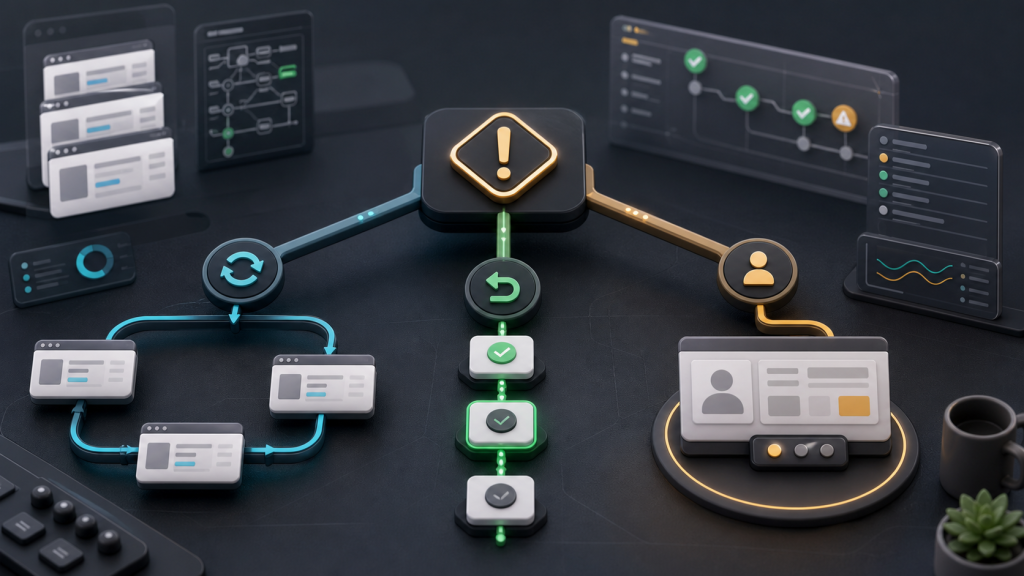
A failed browser automation run is not automatically a reason to press retry.
Sometimes the page timed out. Sometimes the profile opened under the wrong account context. Sometimes a login session expired. Sometimes the task reached a screen that needs a person to decide what to do next. Treating all of those cases as the same problem creates noisy retries and weak evidence.
A better recovery plan asks one question first: should this run be retried, rolled back, or handed off?
Start with the failure type, not the retry button
Browser automation fails in different ways. A click may miss because the page was slow. A selector may change after a UI update. A session may drift because the browser profile no longer matches the account state expected by the task. A proxy, timezone, or region setting may no longer match the account workflow.
Those failures should not share one response. A temporary page delay can often be retried. A broken selector may need a task update. A session mismatch may require rollback to a known profile state. An account-sensitive screen may need visible review before account-sensitive tasks.
The recovery plan should separate transient errors from state errors and judgment errors.
The retry / rollback / handoff decision table
| Failure signal | Likely meaning | Best next action | Evidence to keep |
|---|---|---|---|
| Timeout or temporary network error | The page may not have loaded in time. | Retry once with the same profile and task version. | URL, timestamp, screenshot, and network status. |
| Selector or button not found | The page structure changed or the task step is too brittle. | Pause automation and update the task step. | DOM snapshot, screenshot, failed selector, step name. |
| Login prompt appears unexpectedly | The account context may not match the expected session. | Check profile, cookies, local storage, proxy, and last successful task before retrying. | Profile ID, account label, session status, screenshot. |
| Region, language, or verification screen changes | The environment may not match the account’s normal operating context. | Roll back to a known environment mapping or send to review. | Proxy region, timezone, language, profile notes. |
| The task reaches a decision screen | Automation can navigate, but judgment is required. | Hand off to a human reviewer. | Screenshot, current URL, task objective, proposed next action. |
The table is deliberately conservative. Its job is not to make automation slower. Its job is to stop a team from repeating a run when the real problem is state, environment, or judgment.
Retry only when the context is still valid
A retry is safe only when the run still belongs to the same browser profile, same account, same proxy mapping, same task version, and same operating boundary. If those assumptions changed, a retry may produce a different result without explaining why.
Before a retry, record four fields:
- the browser profile used by the run;
- the account or workspace label expected by the task;
- the exact step that failed;
- the reason the operator believes the failure was temporary.
This is where automation evidence captured after failures becomes more useful than a generic error message. A retry without evidence is just another guess.
Roll back when account context has drifted
Rollback is different from retry. Retry says the same task can run again. Rollback says the environment should return to a known state before the task continues.
Rollback is usually the right path when:
- the account asks for login even though the task expected an active session;
- the page language, region, or account state no longer matches the profile notes;
- the task started from a profile that another teammate recently changed;
- the automation step depends on a saved session, extension state, or local storage value.
For AI browser tasks, this matters because the agent may still be able to click through screens while working in the wrong account context. The recovery plan should make context visible before action continues. If login prompts repeat, check the account context behind repeated login prompts before blaming the model or the task script.
Hand off when the task needs judgment
Some failures are not technical failures. The browser reaches a page, but the next step depends on business context, account history, policy, or risk tolerance. In that case, the correct recovery action is not a stronger selector or a longer wait time. It is handoff.
A useful handoff package includes:
- the task objective;
- the browser profile and account label;
- the current URL and screenshot;
- the last successful step;
- the failed step and error message;
- the proposed next action and why automation stopped.
This keeps the reviewer from reconstructing the run from memory. It also gives the team a clearer path for future task improvements.
Build recovery checkpoints into the workflow
A recovery plan should not live in a separate document that operators remember only after something breaks. It should be part of the browser workflow itself.
Teams can use a simple checkpoint sequence:
- Before the run: confirm profile, account label, proxy mapping, and task version.
- During the run: save step names, screenshots, status, and current URL at important boundaries.
- After a failure: classify the failure as transient, state-related, task-related, or judgment-related.
- Before recovery: choose retry, rollback, task update, or human handoff.
- After recovery: record the outcome so the next operator does not repeat the same diagnosis.
A repeatable browser workflow layer helps when the same task must run across profiles, teammates, or AI-assisted steps. The point is not to automate every decision. The point is to make each decision traceable.
Where an AI browser workspace fits
An AI browser can make browser tasks faster, but speed is not the recovery system. Recovery depends on whether the task can show what happened, which account context was used, and where a person should intervene.
In Web4 Browser, the relevant layer is the AI browser execution workspace: browser profiles, proxy binding, task execution, evidence, and human review belong in the same workflow. That does not remove the need for judgment. It reduces the amount of guesswork needed when something fails.
Recovery checklist
Before rerunning a failed browser task, confirm these items:
- Is the failure temporary, state-related, task-related, or judgment-related?
- Does the browser profile still match the expected account context?
- Did the proxy, timezone, language, extension state, or session state change?
- Is there a screenshot and current URL for the failed step?
- Has the last successful step been recorded?
- Can the task be retried once, or does it need rollback?
- Does a human reviewer need to approve the next action?
If the team cannot answer those questions, retrying may hide the real failure. A recovery plan turns browser automation from a black box into a reviewable operating process.