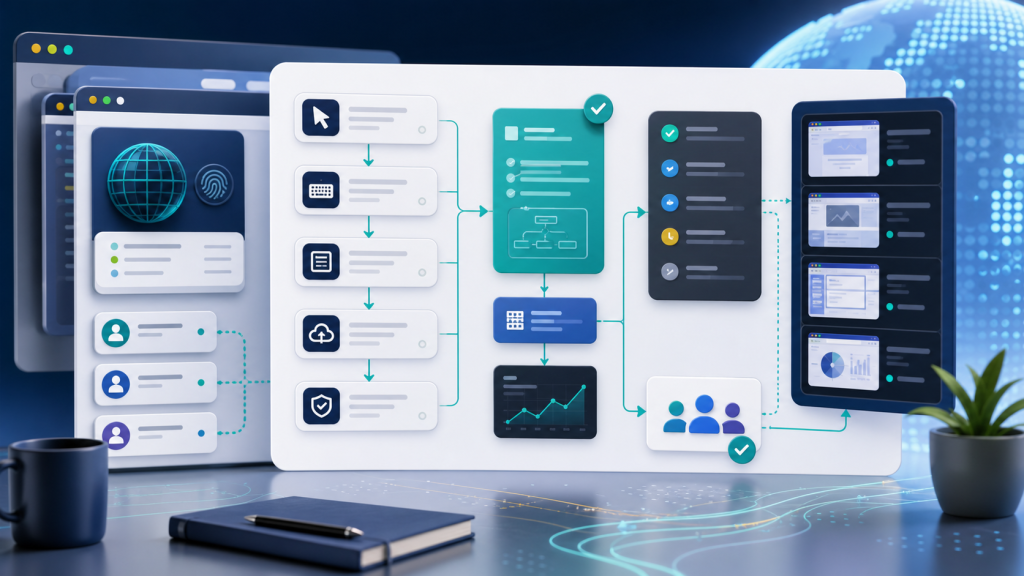
Repeated browser tasks often begin as a simple operational problem: someone needs to open the same account, visit the same pages, check the same fields, copy the same result, or repeat the same verification step every day.
The first answer is usually manual work. The second answer is usually a script. Both can help for a while. But once multiple accounts, browser profiles, proxies, reviewers, and recovery decisions are involved, the real question changes: can the team turn a repeated browser task into a workflow asset that another operator can review, reuse, and improve?
That is the useful standard for browser task automation. It should not only click faster. It should preserve task context, record what happened, and make the next run easier to trust.
What Changes When a Task Becomes an Asset
A task is temporary when it only lives in one operator’s memory or one local script. It becomes an asset when the team can see the goal, required account context, browser profile, proxy expectation, input fields, output evidence, and review status in one place.
This matters because browser automation is rarely only about page actions. The same steps can behave differently under another profile, another session, another proxy route, or another account state. A useful automation asset therefore needs both the action sequence and the environment assumptions behind it.
If your team is still diagnosing why an automated task behaves differently across accounts, start with the older problem of account context in browser automation. Without a stable account context, even a clean task template can produce results that are hard to explain.
The Minimum Task Template
A browser task template does not need to be complex. It does need to make the task repeatable without asking the next operator to guess the hidden assumptions.
| Template Field | What It Should Capture | Why It Matters |
|---|---|---|
| Task goal | The exact outcome the task should produce | Prevents a click sequence from becoming detached from the business result |
| Profile group | Which browser profile set or account segment should run it | Keeps account environment and task purpose aligned |
| Starting state | Login status, target URL, required page, and session assumptions | Reduces false failures caused by missing context |
| Inputs | Keywords, URLs, account IDs, date ranges, or other variables | Makes repeated runs configurable instead of hard-coded |
| Evidence required | Screenshot, URL, field value, status, timestamp, or exported result | Gives reviewers something concrete to verify |
| Stop condition | The point where automation should pause for human review | Prevents automation from continuing after uncertain states |
The key is to separate the stable part of the task from the variable part. The stable part becomes the template. The variable part becomes the input for each run.
Do Not Separate the Template From the Browser Profile
Many teams document the automation steps but forget the browser environment. That creates a fragile process. A task that worked in one browser profile may fail in another because the login state, local storage, proxy binding, timezone, language, or fingerprint context is different.
For multi-account work, the template should specify the profile group it expects. It should also state what must be checked before the run starts: account login status, proxy route, region expectations, and whether the task requires a visible browser session or can run in a more automated mode.
This is where proxy, timezone, and language consistency becomes part of the automation design, not only a troubleshooting detail. If the environment is not documented, failures will look random even when the action sequence is correct.
The Execution Record Is More Important Than the Script
A browser task template tells the team what should happen. An execution record tells the team what actually happened. Without that record, automation creates speed but not operational confidence.
At minimum, each run should record the profile used, task version, start time, end time, result status, final URL, important screenshots, and any error reason. For higher-stakes workflows, add the operator who reviewed the output and the decision they made.
| Run Record Item | Example Value | Review Use |
|---|---|---|
| Profile ID or label | Account group A / profile 17 | Shows which account environment produced the result |
| Task version | Template v1.3 | Separates workflow problems from old instructions |
| Evidence | Screenshot, URL, status field, or exported row | Lets a human confirm the task output |
| Error reason | Login required, selector changed, proxy mismatch, page timeout | Turns failure into a repair path |
| Review status | Accepted, needs retry, paused, escalated | Prevents uncertain runs from being treated as complete |
If a browser task fails often, the execution record is the starting point for repair. The same logic applies to browser automation logs for AI browser task failures: a failed run should leave enough evidence for another person to understand what changed.
A Practical Workflow for Turning Repetition Into Automation
- List the repeated task. Write the goal in plain language before documenting clicks.
- Define the required account environment. Identify the browser profile group, session state, proxy expectation, and region or language assumptions.
- Separate variables from fixed steps. Inputs should be editable without rewriting the task.
- Decide where automation must pause. Add human review before irreversible decisions, suspicious account states, payment actions, or unclear page outcomes.
- Record evidence for every run. Save the final URL, status, screenshot, timestamp, and error reason.
- Review failures by category. Separate environment failure, task-step failure, page-change failure, and unclear-result failure.
- Version the template. When selectors, steps, or evidence requirements change, update the task version.
This workflow keeps automation practical. It does not assume every step should be fully autonomous. It asks which parts are stable enough to reuse and which parts still need human judgment.
Where Human Review Belongs
Human review should not be an afterthought added only after something breaks. It should be part of the task design. If the automation reaches a page that asks for additional verification, shows unexpected account state, changes price, changes permissions, or returns an unclear result, the workflow should pause and produce evidence.
The review point should be named in the template. That makes it easier to train new operators and easier to improve the workflow over time. It also keeps the automation from pretending that every browser state is equally safe to continue.
For tasks that already involve AI agents, this review layer becomes even more important. The issue is not only whether the model can follow instructions. It is whether the team can verify that the instruction ran under the right account environment. That is why human review before AI browser agents is a workflow design problem, not just a compliance note.
When to Use Headless Execution and When to Keep It Visible
Some repeated tasks are stable enough for headless or low-visibility execution: checking known fields, exporting routine status, opening predictable pages, or collecting internal metrics. Other tasks should remain visible because the account state, page outcome, or review decision can change.
A useful template should say which mode is acceptable. If the task requires visual confirmation, screenshot evidence, or operator approval, visible execution may be the safer default. If the task is deterministic and produces structured output, headless execution may be reasonable after the workflow has been tested.
Use the same principle from headless browser automation review: the decision is not headless versus visible as a preference. The decision is whether the task produces enough evidence for the team to trust the run.
How Web4 Browser Fits This Workflow
Web4 Browser is most useful here when the team wants browser automation to stay attached to account context. A repeated browser task can be connected to a browser profile, proxy expectation, task instruction, execution record, screenshot, and review step instead of living as a disconnected script.
That does not make every task fully automatic. It makes automation more reviewable. Teams can decide which steps should run, which steps should pause, and what evidence must be saved before the result is accepted.
For teams moving from manual account work to repeatable automation, the practical starting point is not a large feature list. It is a small workflow asset: one task template, one profile group, one evidence requirement, and one review rule. From there, the team can expand automation without losing control over account context.
Checklist: Is This Task Ready to Become a Workflow Asset?
- The task has a clear business goal, not only a click sequence.
- The required browser profile group and session assumptions are documented.
- Proxy, timezone, language, and region expectations are stated when relevant.
- Inputs are separated from fixed steps.
- The template defines where automation should pause for review.
- Each run produces a status, screenshot or evidence item, final URL, and timestamp.
- Failures are categorized into environment, task-step, page-change, or unclear-result problems.
- The task has a version number so changes can be reviewed later.
Conclusion
Browser task automation becomes valuable when repeated work turns into a reusable asset. The asset is not just the script. It is the template, account context, evidence trail, review rule, and version history that make the task understandable to the rest of the team.
If a task cannot explain which profile ran, what environment it used, what result it produced, and why a reviewer should trust it, it is still fragile. If it can explain those things, automation becomes easier to scale because the team is no longer depending on memory, screenshots in chat, or one operator’s local script.