
A basic fingerprint browser is often the first serious tool a multi-account team adopts.
That makes sense. When a team starts managing more than one account, the first risk is obvious: accounts should not share the same cookies, local storage, browser state, or network identity by accident. A fingerprint browser gives each account a separate profile and helps prevent the most basic form of identity mixing.
But many teams eventually discover a different problem.
The browser setup that worked for five accounts does not always stay reliable at fifty accounts. The issue is no longer only whether profiles are separated. The issue becomes whether the whole workflow can stay consistent, repeatable, and understandable as more people, proxies, tasks, templates, and automation steps are added.
That is the point where a team may start to outgrow a basic fingerprint browser.
For teams building a more structured multi-account workspace, Web4 Browser is designed around this shift: from simple profile separation toward more controlled browser workflows.
A Basic Fingerprint Browser Solves the First Problem
A fingerprint browser is useful because it gives each account its own browser environment.
In a basic setup, each profile can have its own cookies, cache, local storage, user agent, timezone, language settings, WebRTC behavior, canvas behavior, and proxy configuration. This helps teams avoid the obvious mistake of opening many accounts inside the same ordinary browser session.
For small teams, this may be enough. One person creates the profile, assigns a proxy, logs in, and keeps using that profile for the same account. If the work is simple and the account count is low, a basic fingerprint browser can be a practical solution.
The first real goal is consistency. The proxy, browser fingerprint, timezone, language, and account behavior should not contradict each other. If a profile appears to come from one region while the proxy points somewhere else, the setup becomes harder to trust. This is why teams should always validate proxy and fingerprint consistency before scaling the same configuration across more accounts.
A basic fingerprint browser can solve the isolation problem. It does not always solve the operational problem.
The Problem Starts After Profiles Are Created
Creating profiles is only the beginning.
Once a team has many profiles, the real questions become more complicated:
Which proxy belongs to which account?
Which profile template is safe to reuse?
Who changed the settings last?
Which accounts are ready for automation?
Which profiles should be handled manually?
Which failure came from the proxy, the browser fingerprint, the login state, the operator, or the website itself?
These are not small details. They decide whether the team can operate accounts reliably or whether every problem turns into guesswork.
A basic fingerprint browser may keep profiles separate, but it may not explain the logic behind those profiles. It may show that profile A has proxy A, but it may not show why that pairing matters, when it was changed, or whether it still matches the account’s current behavior.
That is where multi-account work starts to become less about isolated profiles and more about workflow control.
Signal One: Operators Start Solving the Same Problem Differently
One of the earliest warning signs is inconsistency between operators.
At first, this may not look serious. One person creates profiles in one way. Another person slightly changes the proxy settings. A third person copies an old profile because it “worked last time.” Someone else runs an automation script with different assumptions.
Individually, each decision may seem reasonable. Together, they create drift.
The team may no longer have one clear setup standard. Instead, it has a collection of personal habits. Some profiles are configured carefully. Others are copied from old experiments. Some proxy assignments are documented. Others are remembered only by the person who made them.
This is dangerous because multi-account systems do not usually fail all at once. They fail slowly. A few accounts behave strangely. A few logins become harder. A few workflows need manual repair. Over time, the team spends more time explaining its own setup than doing the actual work.
When knowledge only lives in people’s memory, the browser setup becomes fragile.
Signal Two: Templates Save Time but Create Hidden Drift
Templates are useful. They help teams avoid rebuilding the same browser profile from scratch again and again.
But templates also create a hidden risk: they allow teams to scale old assumptions quickly.
A template may preserve visible settings, but it may not preserve the original reason behind those settings. A profile template created for one region, one platform, one proxy type, or one account stage may be reused in a different situation without anyone noticing the mismatch.
This is how hidden drift appears.
A team may believe it is standardizing the workflow, while actually spreading a configuration that no longer fits. Proxy region, browser language, timezone, session history, account age, and task behavior may slowly stop matching each other.
The problem is not that templates are bad. The problem is that templates need context.
This is also why the browser category is changing. A modern browser for multi-account teams cannot only store profiles. It needs to help teams understand, reuse, and control workflows. That shift is explained more directly in what changes when a fingerprint browser becomes an AI browser.
A basic fingerprint browser helps teams create profiles faster. A more advanced browser setup helps teams avoid scaling the wrong profile logic.
Signal Three: Troubleshooting Gets Slower as the Team Grows
When one person manages a small number of accounts, troubleshooting is usually straightforward.
The person knows which proxy was used, which settings were changed, which accounts are sensitive, and what happened before the issue appeared. Even if the setup is informal, the context is still inside one person’s head.
That changes when the team grows.
If several people touch the same workflow, every failure has more possible causes. Was the proxy unstable? Did the browser fingerprint change? Did cookies expire? Did someone reset the profile? Did the automation script click the wrong element? Did the website update its login flow? Did the account behave differently because of its own history?
The cost is not only the failure itself. The bigger cost is not knowing where the failure came from.
A basic fingerprint browser may show profile settings, but it may not give the team enough operational context to debug quickly. The result is slower recovery, more repeated testing, and more uncertainty.
As multi-account work scales, troubleshooting becomes a workflow problem, not just a browser problem.
Signal Four: Automation Starts Needing More Context
Many teams begin with manual work.
A person opens a profile, checks the account, completes a task, closes the browser, and moves on. A basic fingerprint browser works reasonably well for this kind of usage.
Then automation enters the workflow.
At first, automation may be simple. Open a page, click a button, fill a form, collect a result. But real multi-account work is rarely that clean. Pages change. Login sessions expire. Some accounts see extra prompts. Some regions receive different page layouts. Some accounts trigger verification steps. Some tasks need human review before continuing.
At this point, automation needs more than browser access. It needs context.
It needs to know which profile it is using, which account stage it belongs to, which proxy should remain attached, which steps are safe to repeat, and when to stop instead of forcing the workflow forward.
This is one of the main differences between a traditional browser and a more agentic browser workflow. A traditional browser waits for instructions. An agentic browser is expected to help handle uncertainty, state, and task progression. The distinction is covered in more detail in agentic browser vs traditional browser.
For multi-account teams, automation does not replace the need for structure. It increases the need for structure.
Signal Five: The Browser Becomes Part of Team Operations
At a certain point, the browser is no longer just a tool for opening isolated profiles.
It becomes part of the team’s operating system.
It affects account assignment, proxy control, workflow repeatability, operator handoff, task routing, automation access, and failure recovery. If the browser layer is messy, the whole operation becomes messy.
This is the real sign that a team has outgrown a basic fingerprint browser.
The team no longer needs only separated browser environments. It needs a shared system that helps people understand what each profile is for, how it should be used, what should not be changed, and how repeated work can be handled safely.
In other words, the browser has to support the workflow, not just contain the accounts.
What a More Advanced Browser Setup Should Add
A more advanced browser setup should not simply add more features for the sake of having more features.
It should reduce operational uncertainty.
For a growing multi-account team, the important additions usually include clearer profile organization, more reliable proxy-profile mapping, safer template reuse, team-level visibility, automation compatibility, and better support for repeated workflows.
The browser should help answer practical questions:
Is this profile still aligned with its proxy?
Is this template still safe to reuse?
Can another operator understand this setup without asking the original creator?
Can automation use this profile without breaking its state?
Can the team identify whether a failure came from network identity, browser state, account condition, or workflow logic?
These questions matter more than the raw number of profiles a browser can store.
A browser that can hold thousands of profiles is not automatically better if the team cannot manage them clearly. Scale without structure usually creates more confusion, not more capacity.
When a Basic Fingerprint Browser Is Still Enough
A basic fingerprint browser is not always the wrong choice.
It may still be enough when the team is small, account volume is low, workflows are simple, and only one or two people manage the setup. If most tasks are manual and the team can still troubleshoot problems quickly, there may be no urgent need to move into a more advanced browser workflow.
The decision should not be based on hype.
A team should not upgrade just because AI browser features sound modern. It should upgrade when the current workflow is becoming harder to control.
If the existing setup is stable, understandable, and easy to recover when something goes wrong, a basic fingerprint browser may remain a practical option.
The problem begins when the team can no longer explain its own browser environment clearly.
The Real Decision Is Not Profile Count
Many teams ask the wrong question.
They ask, “How many profiles can this browser run?”
That question matters, but it is not the best way to judge whether a browser setup can support a growing multi-account operation.
Better questions are:
Can the setup stay consistent as more accounts are added?
Can new operators understand the workflow without rebuilding it from scratch?
Can templates be reused without spreading outdated assumptions?
Can proxy, fingerprint, timezone, and language logic stay aligned?
Can manual work and automation follow the same operating model?
Can the team debug failures without guessing?
These questions reveal the real maturity of the browser setup.
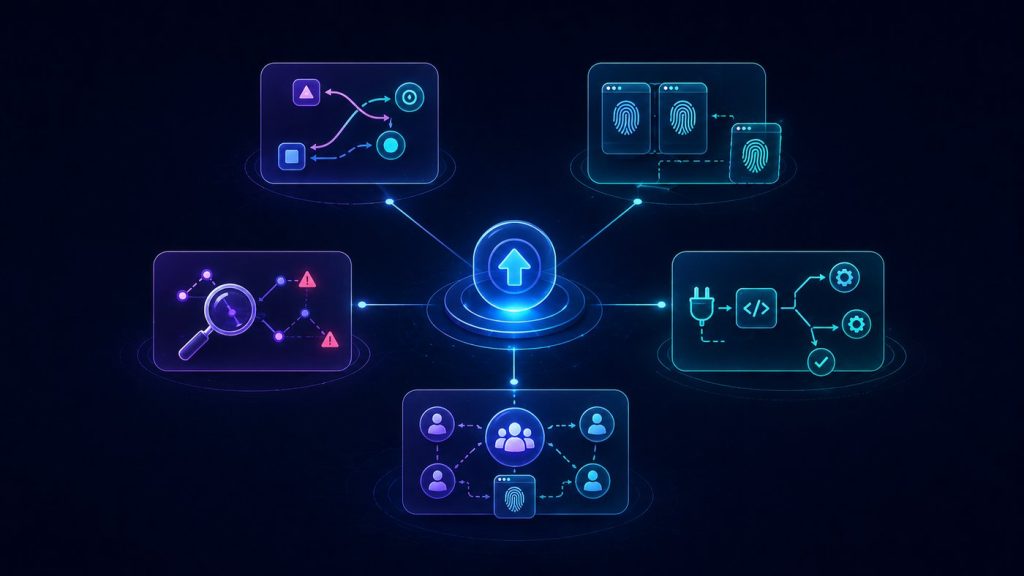
A basic fingerprint browser is mainly about separation. A stronger browser workflow is about repeatability, visibility, and control.
A basic fingerprint browser is a strong starting point for multi-account teams. It helps separate accounts, reduce identity mixing, and create more controlled browser profiles.
But profile separation is only the first layer.
As account volume grows, teams need more than isolated profiles. They need consistent proxy mapping, safer templates, clearer handoffs, better troubleshooting, and automation-ready workflows.
That is when the browser stops being just a profile container and becomes part of the team’s operating structure.
The real question is not whether a team has enough browser profiles. The real question is whether the team can still understand, repeat, and recover its workflow as the operation grows.