
Browser Profile Isolation Failure Diagnosis Checklist
A practical diagnostic sequence for multi-account teams that need to find cookie, storage, fingerprint, or workflow leakage between browser profiles.
A practical diagnostic sequence for multi-account teams that need to find cookie, storage, fingerprint, or workflow leakage between browser profiles.

Browser automation does not only need access to a page. In multi-account workflows, it also needs account context: profile state, proxy mapping, task history, review rules, and execution logs. Without that context, both scripts and AI agents can move faster while creating more uncertainty.

Multi-account teams do not only need separated browser profiles. As workflows become repetitive, collaborative, and harder to debug, they need a browser automation workspace that connects identity, proxies, tasks, logs, and review into one operating system.

A basic fingerprint browser can separate accounts, but growing multi-account teams eventually need more structure. This article explains when profile isolation is no longer enough and why proxy mapping, workflow consistency, templates, automation support, and team handoffs start to matter.
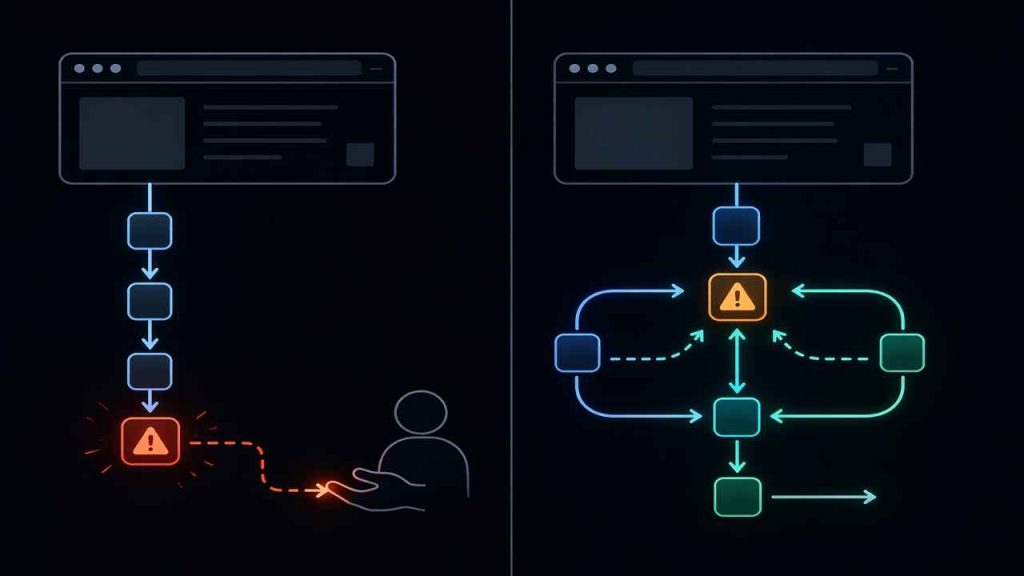
Most comparisons between agentic browsers and traditional browsers focus on automation. That misses the point. The real difference is control — specifically, who handles uncertainty when things break.
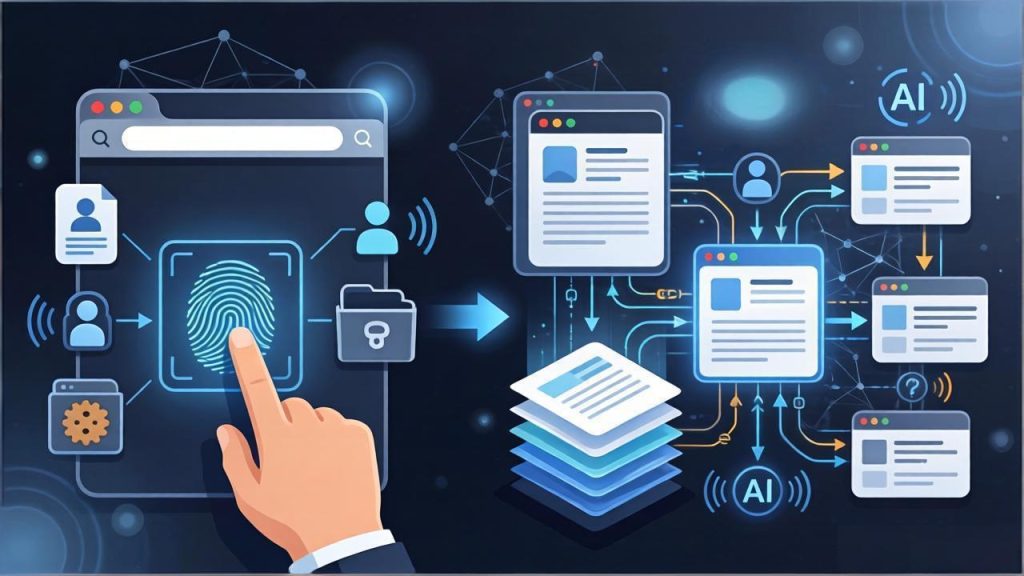
A fingerprint browser isolates accounts. An AI browser goes further by helping teams reduce repeated setup, standardize workflows, and keep multi-account operations more stable as they scale.

Learn how to validate proxy binding, browser fingerprint consistency, profile isolation, and automation stability before scaling multi-account operations.