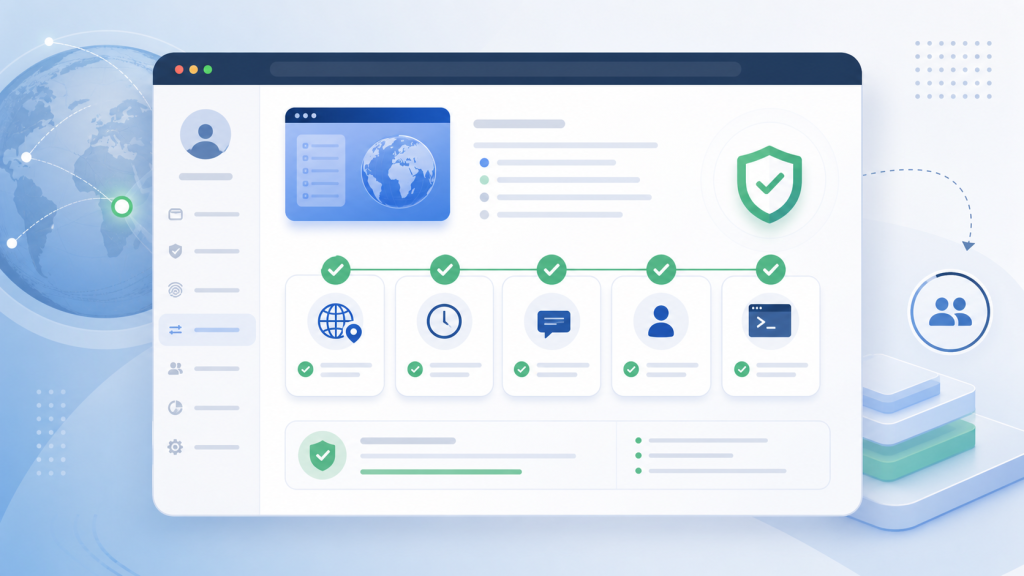
Browser profile problems often start as a vague report: an account opened in the wrong language, a login page looked different, or an automation task reached a page the team did not expect. The visible symptom may be small, but the cause is usually a mismatch between the profile, proxy, timezone, language, session state, and task history.
For a team, that mismatch becomes expensive during handoff. One operator prepares an account environment, another teammate reviews it, and an AI browser task may run later. If the environment is not recorded clearly, the next person has to guess what changed.
This guide gives teams a practical browser profile consistency checklist. Use it before a profile is handed to another teammate, before a recurring browser automation task runs, or after a profile behaves differently from its expected account context.
Why Environment Consistency Matters
A browser profile is more than saved cookies or a named workspace. In a multi-account workflow, it is the operating container for account state, proxy mapping, fingerprint settings, timezone, language, extensions, permissions, and task evidence.
If those layers drift apart, the profile may still open correctly while the account environment no longer matches the expected workflow. The proxy can point to one region while the timezone suggests another. The profile can keep a session while the language setting changes the page flow. An automation task can inherit a profile that looks ready but lacks enough evidence for a reviewer to decide whether it should continue.
The goal is not to make every profile identical. The goal is to make each profile internally coherent and easy to review.
The Five-Layer Consistency Model
Before diagnosing a browser profile issue, separate the environment into five layers:
| Layer | What to check | Why it matters |
|---|---|---|
| Proxy and region | Proxy endpoint, region, IP type, and profile assignment | The account environment should match the expected operating region. |
| Timezone and language | Browser timezone, system locale, browser language, and site language | Page flows, prompts, and verification screens can change when these values drift. |
| Account context | Account owner, target site, current session state, and recent manual actions | The next operator needs to know what state the profile is actually in. |
| Profile settings | Fingerprint settings, extensions, permissions, storage, and local profile notes | Stored data alone is not enough if the surrounding profile changed. |
| Automation evidence | Task ID, last URL, screenshot, error state, and reviewer decision | AI browser tasks need evidence before retry, resume, or handoff. |
This model connects closely to earlier guidance on timezone and locale mismatch checks, but it adds the team handoff and automation-evidence layer that many workflows miss.
Step 1: Confirm the Proxy Belongs to the Profile
Start with the proxy because it is one of the easiest layers for teams to change without updating the rest of the profile. Confirm that the proxy endpoint, region, and intended account are still mapped together.
Do not rely only on a working connection test. A proxy can connect successfully and still be wrong for that profile. The operational question is more specific: does this profile still use the proxy environment expected by the account, the task, and the team handoff record?
For teams that manage proxy assignments centrally, a dedicated proxy IP mapping workflow should be reviewed together with profile notes, not checked as a separate technical setting.
Step 2: Compare Timezone, Language, and Page Flow
Timezone and language are often treated as small browser preferences. In account workflows, they are operational signals. If the browser timezone, browser language, site language, and expected account region no longer align, the page flow can change before the team notices the root cause.
Check these values together:
- Browser timezone.
- Browser language and accepted languages.
- Site language after login.
- Proxy region and account operating region.
- Any recent profile edits made by another teammate.
If a page suddenly appears in another language or a login journey changes shape, record the mismatch before changing settings. That record is often more useful than a quick retry.
Step 3: Verify Account Context Before Automation Runs
A profile can pass environment checks and still be in the wrong account state. Before a browser automation task runs, confirm whether the account is logged in, logged out, paused at a review screen, or waiting for a human decision.
This is where account context for browser automation becomes the practical control point. The task should inherit a profile whose state is known, not a profile that merely opened without an error.
A useful handoff note should include the account, target site, current page, last successful action, and any visible status that affects the next step. If that information is missing, the profile is not ready for automated continuation.
Step 4: Keep Team Handoff as a Profile Test
Teams often think of handoff as a permission or storage problem: can another teammate open the profile? That is necessary, but it is not enough. A stronger test asks whether the receiving teammate can understand the account environment without asking the original operator for context.
Use this handoff test:
- The receiving teammate can identify the account and task purpose.
- The expected proxy, timezone, and language are visible or documented.
- The current session state is clear from the profile note or latest screenshot.
- The next action is defined as continue, review, repair, or stop.
- The profile has no unexplained recent change.
This extends the same principle as a browser profile handoff test: the profile should carry enough context to be operated responsibly by someone else.
Step 5: Add Evidence Before AI Browser Tasks Resume
AI browser tasks make consistency checks more important because a task may continue from the visible page state without understanding why the profile is there. If the task resumes from a mismatched environment, the output may be noisy or incomplete even when the browser itself is functioning.
Before an AI browser task resumes, capture:
- Profile name or ID.
- Proxy region and expected account region.
- Timezone and language values.
- Current URL and visible account state.
- Last task step, screenshot, and reviewer decision.
This evidence connects the profile to the task record. It also supports human review before AI browser agents, especially when the task reaches a page that should not be handled automatically.
Browser Profile Consistency Checklist
Use this checklist before handoff or automation:
- Proxy endpoint and region match the profile’s intended account environment.
- Timezone and language settings match the expected account context.
- The current session state is recorded as logged in, logged out, review needed, or expired.
- Recent manual actions are noted so the next operator knows what changed.
- Automation evidence includes URL, screenshot, task step, and stop reason.
- The next action is explicit: continue, review, repair, or stop.
If several items are unknown, do not treat the profile as ready just because it opens. Missing context is itself a workflow risk.
Where Web4 Browser Fits
Web4 Browser is designed for teams that need profiles, proxy mapping, automation steps, and review evidence to live in one operating workflow. The practical handoff point is a browser environment workspace where the account profile, task state, and review record can be evaluated together.
For recurring work, teams should also connect this checklist to browser automation evidence logs. Logs are not just for debugging after failure. They are what let the next teammate see whether the environment was consistent before the task ran.
Final Takeaway
Proxy, timezone, language, account context, and automation evidence should be reviewed as one profile environment. A single layer can look correct while the full profile is not ready for handoff.
The durable rule is simple: before a teammate or AI browser task continues from a profile, the team should know what the profile is, where it is operating, what account state it holds, what changed recently, and what evidence supports the next action.